
Put 50,000 certificated diamonds on a jewellery website and something counterintuitive happens. Traffic rises, time on page rises, and conversion barely moves. We have watched this pattern repeat across retail clients often enough to treat it as a rule rather than an anomaly. The problem is not the inventory. It is that a filterable grid of loose stones asks the customer to do a job they are not equipped to do, which is to imagine the finished ring.
A WooCommerce ring builder closes that gap by turning a browsing exercise into a guided configuration with a price at the end of it. This is a look at why configurators outperform catalogues on jewellery sites, how the implementation actually works at the cart level, which retailers should lead with one, and where the projects that fail tend to go wrong. Most of the failures we see are merchandising decisions rather than engineering ones.
Why a Diamond Catalogue Alone Converts Badly
A diamond catalogue is a research tool, not a purchase journey. It presents stones as specifications, and specifications are the language of the trade rather than the language of the buyer. The customer arrives wanting an engagement ring and is handed a spreadsheet with photographs.
The friction is specific and measurable. A shopper looking at a 1.10ct oval, G colour, VS2 clarity, excellent cut has no way to know what that stone looks like in a six-claw platinum solitaire, what the total will be once a setting is added, or whether their budget stretches to both. So they save the page, intend to return, and do not.
There is also a psychological cost to unbounded choice. Presented with 4,000 stones matching their filters, most buyers narrow to a shortlist and then stall, because nothing in the interface tells them the shortlist is finished. Configurators solve this by imposing a sequence with a defined endpoint, which is why the pattern has dominated car sales, laptop sales and bespoke furniture for two decades.
What a Ring Builder Does Differently
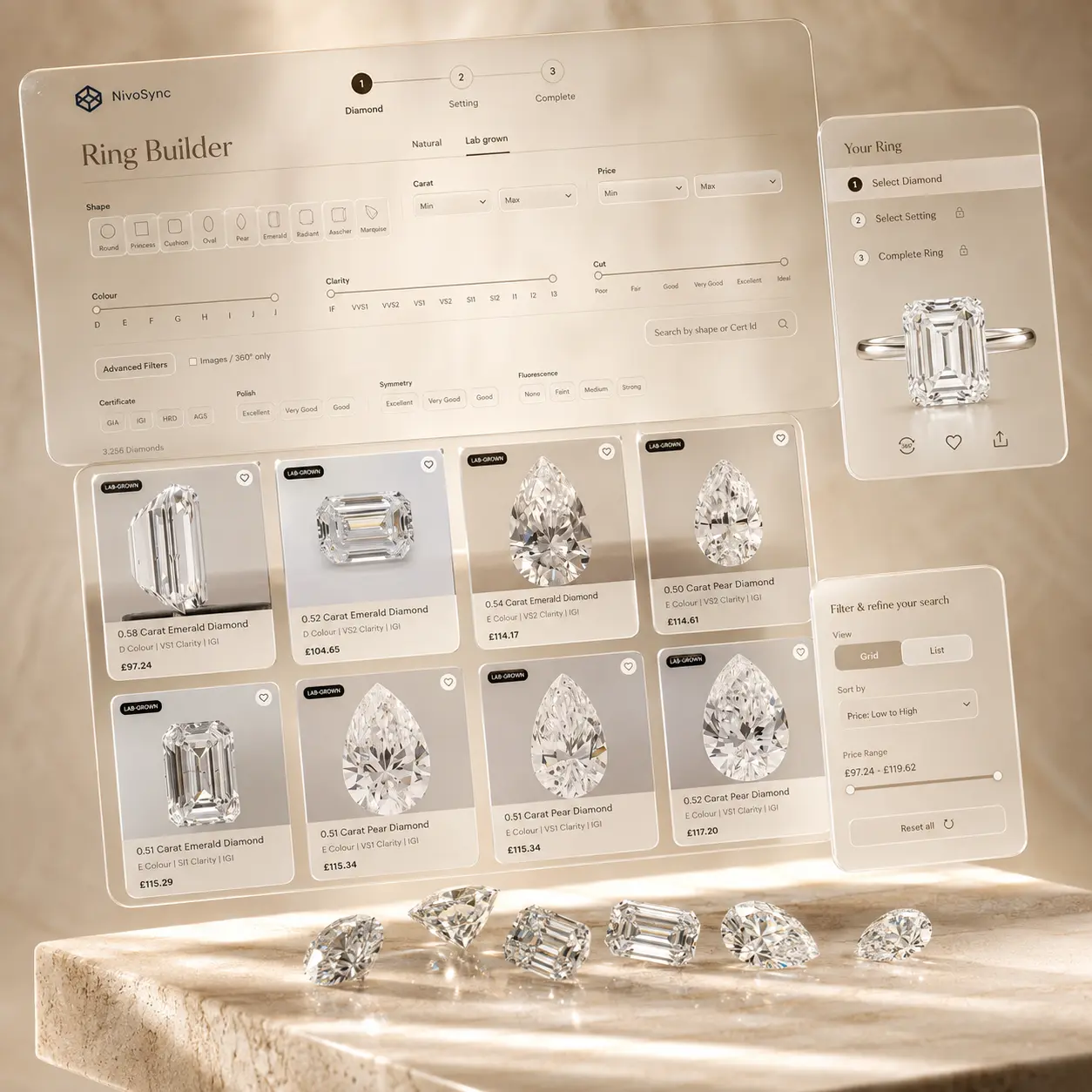
A ring builder is a step-based configurator that walks a customer through shape, then centre stone, then setting, then a review of the composed ring with a single total price and one add-to-cart action. Each step narrows the field and each step ends with a decision the customer can actually make.
The ordering matters more than it appears. Shape first works because shape is the one attribute buyers usually have a firm opinion about, often formed before they started shopping, and it eliminates roughly 90% of inventory in a single painless choice. Stone second works because the customer is now comparing 200 options rather than 20,000. Setting third works because it is the step where the retailer's own product, photography and craftsmanship take over.
The review step carries most of the commercial weight. It is the first moment the buyer sees a complete ring at a complete price, and it converts because it removes the arithmetic the catalogue was silently asking them to perform.
How a WooCommerce Ring Builder Should Be Built
The technically important detail is that the composed ring should become a single WooCommerce line item carrying metadata for both the diamond and the setting, rather than two products dropped into the same basket.
Two-line-item implementations look acceptable in testing and cause problems in production. Customers remove one component and check out with an orphan. Discount codes apply to one half of the ring. Shipping calculates twice. Refunds become manual. Fulfilment staff see two picks where there is one job, and the packing note does not describe a ring.
A single composed line item avoids all of it. The warehouse sees one ring to fulfil, while the order detail screen in the admin retains the full breakdown of stone specification and setting for aftercare, valuation and any post-sale handling.
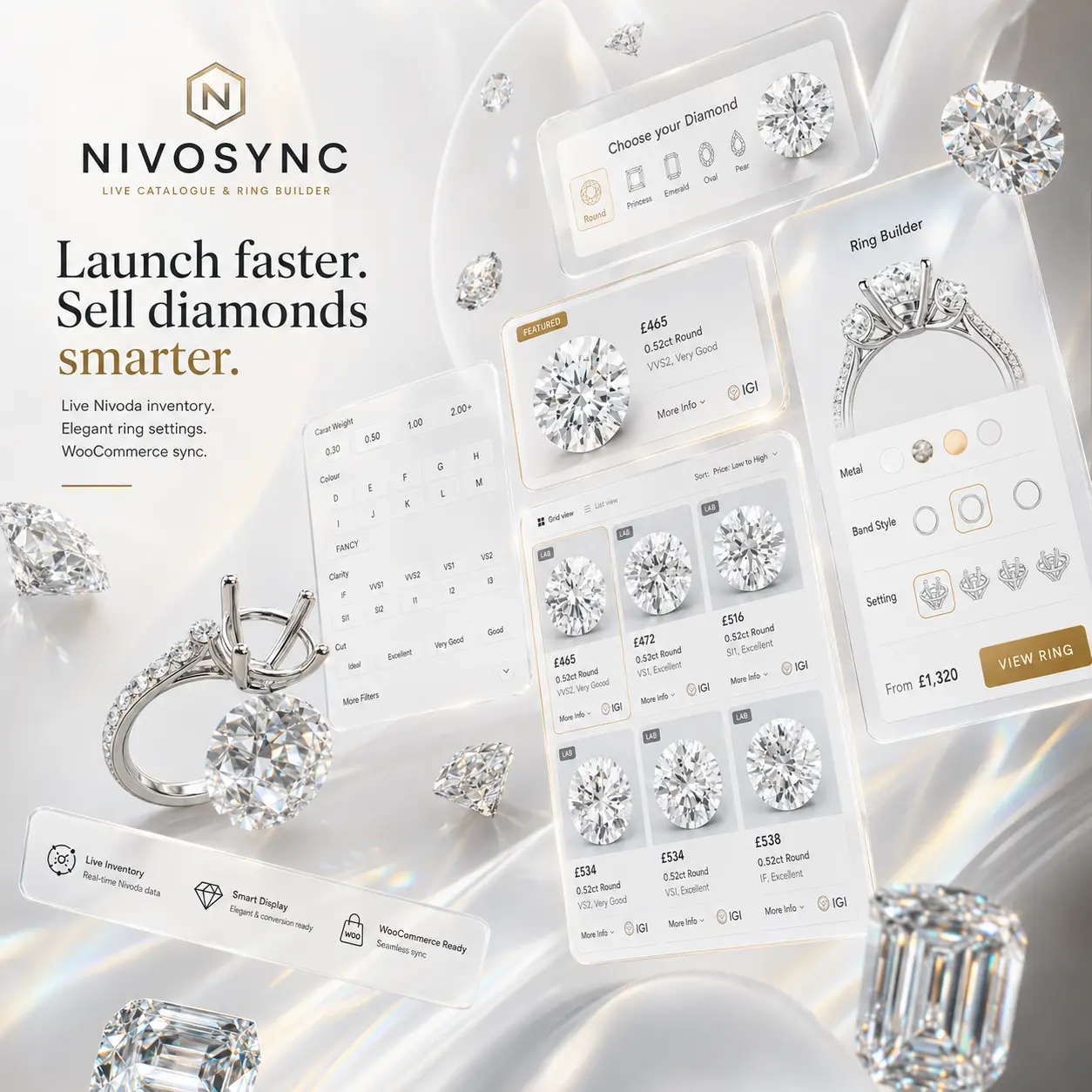
Checkout itself stays entirely standard, which means the retailer's existing gateways, tax configuration, order emails and accounting integrations continue to work untouched. Implementations such as the WooCommerce ring builder in NivoSync compose the line item this way and inherit the store's pricing engine, so markup, VAT, currency and rounding stay consistent between the catalogue, the builder and the cart.
Fun fact: The step-based product configurator was popularised online by Dell in 1996, whose build-to-order website was generating around $1 million in daily sales within a year of launch.
Which Retailers Should Lead With a Ring Builder
Not every jewellery store should make the configurator its front door, and the right answer depends on what proportion of revenue is bridal.
Bridal-focused stores should lead with it outright. If engagement is your single funnel, generic catalogue pages dilute the journey and the builder should be the primary call to action on the homepage. Multi-category merchants are better served offering both, with the catalogue for browsers who want to understand the market and the builder for buyers who have decided to proceed.
Custom design houses use it differently again, as a qualification step before a consultation. A customer who arrives at a design appointment having already configured a shape, a stone range and a setting style has done 30 minutes of the meeting in advance, and the conversation starts at design rather than at orientation. That is a materially better use of a designer's time, and it improves the customer experience rather than degrading it.
The Settings Are Where Retailers Win or Lose
Every retailer running a marketplace-fed catalogue shows broadly the same diamonds. The stones are not a differentiator and cannot be. The settings are, and they are the part most retailers under-invest in.
Settings in a well-built configurator are ordinary WooCommerce products, which means the retailer controls photography, copy, attributes and variations in the normal way. That is an opportunity rather than an administrative chore. Multiple angles, consistent lighting, a hand shot for scale and a clear statement of metal options and band width do more for conversion than any amount of filter engineering.
Retailers should also be deliberate about the shape allowlist. Exposing all 10 supported shapes when you only merchandise 5 well produces a builder where half the routes end in weak setting choices. Disabling shapes you do not stock properly is a merchandising decision, not a limitation, and it keeps every path through the configurator ending somewhere the retailer can genuinely deliver.
What to Measure After Launch
Configurators are unusually easy to diagnose because the funnel is explicit. Instrument each step and the drop-off tells you exactly what is wrong.
Heavy loss at shape selection generally means the entry point is wrong, with customers arriving who wanted to browse rather than build. Loss at stone selection usually means the price band on display does not match the audience, which is a filter defaults problem rather than an inventory problem. Loss at setting selection almost always means the setting photography or range is not competitive. Loss at review means the total surprised them, which points to a pricing presentation issue earlier in the flow.
Track configurator starts, completion rate to review, and add-to-cart rate from review as three separate figures. Retailers who report that their builder is not working have usually only looked at the final conversion number, which conflates four independent problems into one unactionable metric.
Setting this up properly in analytics is worth an afternoon of a developer's time, and the event-based model most stores now run makes step tracking straightforward. Our overview of the GA4 reports that replace the old Universal Analytics views covers the funnel configuration that applies directly here.
Where the Builder Fits in the Wider Build
A ring builder is not a standalone feature. It depends on the same inventory sync, caching layer and pricing engine as the catalogue, and it inherits their weaknesses. If the sync is stale, the builder offers stones that have sold. If the pricing engine is inconsistent, the composed total will not match the catalogue price for the same stone.
That is why we advise retailers to treat catalogue and configurator as one system procured together rather than two features bought separately. The architectural decisions underneath, particularly around caching strategy and stock hold handling, are covered in our technical assessment of Nivoda API integration for WordPress, and they determine whether the builder is reliable long before any front-end work begins.
Retailers weighing the investment should judge it against the alternative rather than against zero. Building a configurator to this standard as a bespoke project is a multi-month engagement, and the ongoing burden of keeping it compatible with WooCommerce releases falls on whoever built it. For most independents a licensed WooCommerce ring builder bundled with the catalogue is the pragmatic route, and the effort saved is better spent on setting photography and on the consultation that closes the sale.